What you need
- A Robinhood individual account in good standing.
- A Mac, with Apple silicon or Intel. Robinhood’s agent setup is desktop only too.
- The money you want an agent to manage. Agency’s minimum per agent is $10, so you can start small.
Open and fund the Agentic account
- Open a Robinhood Agentic account
On a computer, open an Agentic account from your Robinhood account. Robinhood’s Agentic Trading overview has the current steps and requirements.
- Fund it
Transfer in the cash you want agents to use. Agents can only trade this account, so anything you want managed has to be here. Keep it to an amount you’re comfortable having an AI manage.
Connect Agency
- Download Agency and open it
Agency is a free Mac app. It opens at login and stays in the menu bar, which is what lets agents review on schedule.
- Connect Robinhood
Click Connect Robinhood on the start screen. Robinhood opens in your browser so you can approve the connection on its own page; Agency never sees your password. The Status at the bottom left of the sidebar shows Connected when it’s done.
Create your first agent
- Say what you want
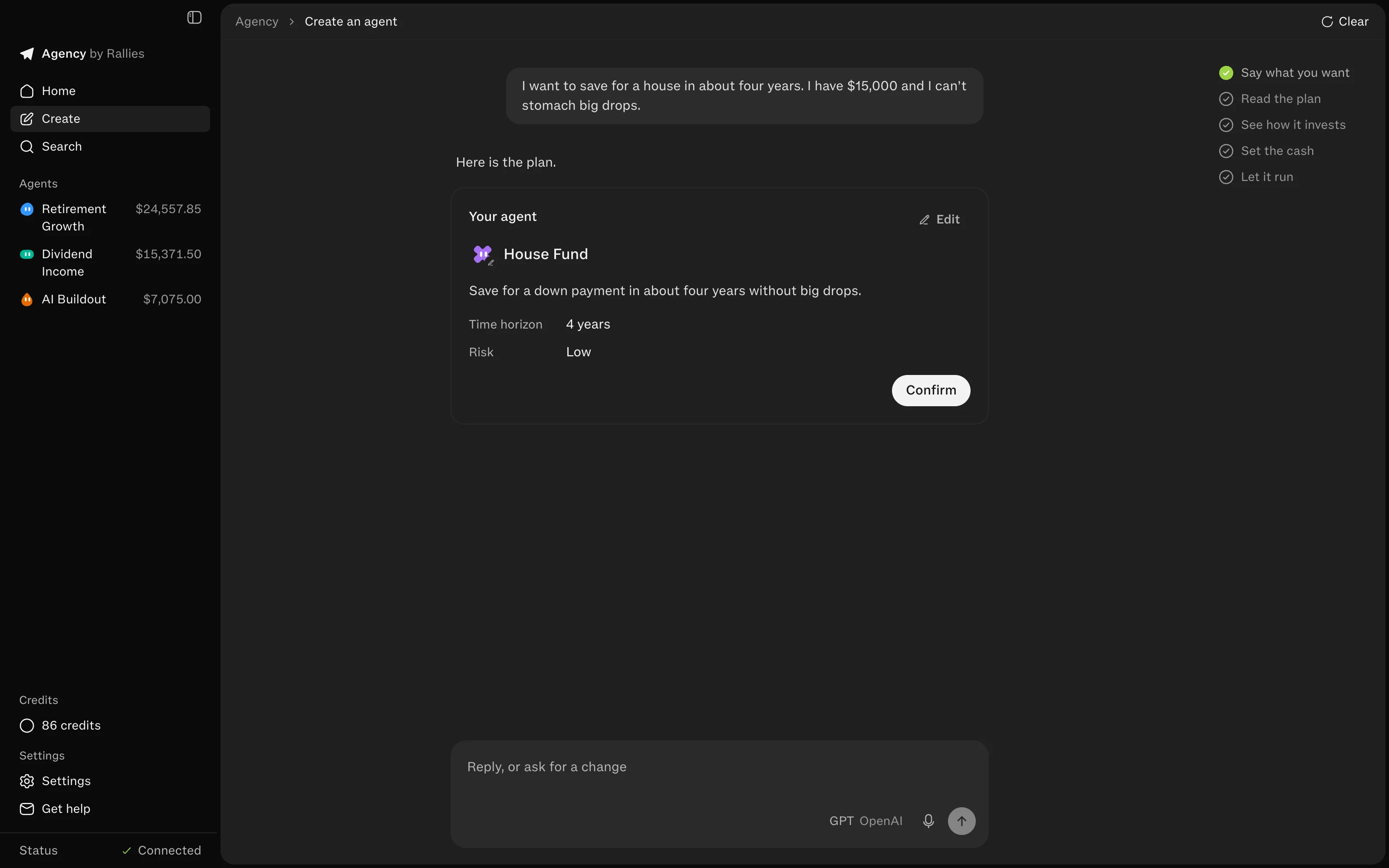
Open Create and describe what the money is for, in your own words: the goal, how long, and how much of a drop you could live with. The agent may ask a question or two, then drafts a plan card with a name, the goal, the time horizon and the risk. Edit it until it’s right, then Confirm.
- Read the first look
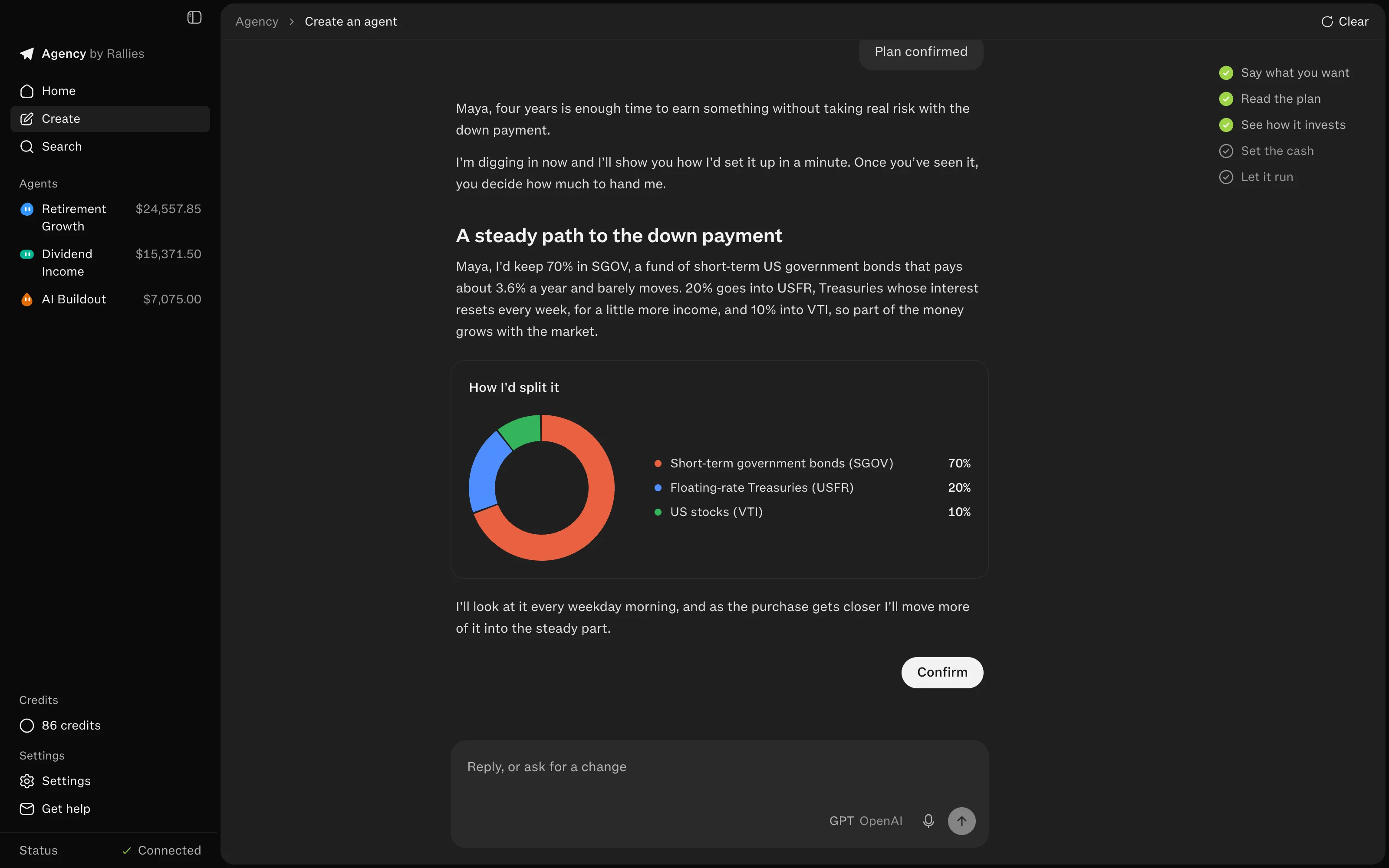
Before any money moves, the agent researches your plan and shows how it would invest it: a split in percentages with the reason for each piece. It takes two to three minutes and uses one credit. Nothing is bought.
- Fund the agent
Give it cash, holdings, or both, from what you hold yourself or from another agent. That becomes its slice: it can spend only that cash and sell only what it holds. It buys the first look’s split right away.
- Let it run
By default the agent reviews at 10 AM Eastern on weekdays. Each review it checks its holdings against the plan, trades if something needs to change, and writes you a note when it does. Keep Agency open and your Mac awake for reviews to run.
Optional: crypto and options
Crypto needs Robinhood crypto on the Agentic account; it isn’t available in every state. Options need options level 2 or higher on the Agentic account itself. Both also have switches in Agency under Settings, Trading.
What it costs
The app and chatting are free. Each first look and each review uses one credit. New accounts get 20 free credits, then it’s $20 for 100. An agent reviewing every weekday uses about 21 credits a month, about $4. Robinhood’s fees and fund expense ratios are separate. The FAQ has more.
If something doesn’t work
- Status isn’t Connected. Click Connect Robinhood again and approve it in the browser.
- An agent didn’t review. Reviews only run while Agency is open and the Mac is awake. A review missed while it slept runs when it’s back the same day.
- Not enough cash to fund an agent. Deposit into the Agentic account in the Robinhood app; new cash shows up in Agency as Yours.